

Google just showed up on your desktop. One shortcut is all it takes — and Microsoft should be paying attention.
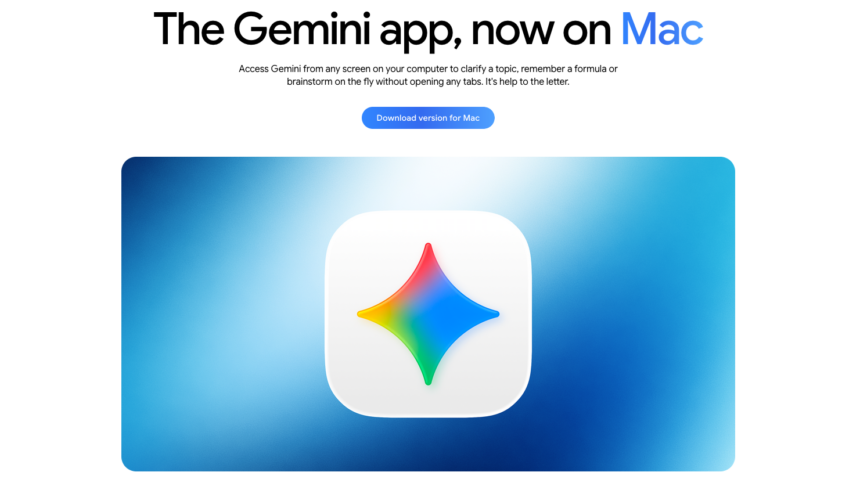
Google does not want you to open a browser tab anymore. In a two-day desktop offensive on 14 and 15 April 2026, the company launched a dedicated Google app for Windows and a native Gemini app for macOS — bringing its AI assistant directly onto the desktop operating systems that Microsoft and Apple have long considered home turf. Furthermore, both apps are available globally and free to download. Together, they represent Google‘s most direct challenge yet to Microsoft Copilot on Windows and to Apple Intelligence on macOS.
The timing is deliberate. OpenAI and Anthropic both launched Mac apps well before Google entered the desktop arena. Consequently, Google arrives late — but arrives with the full weight of its search infrastructure, Gemini models, and deep integration with Google Drive, Gmail, and Google Lens already in tow. The question is whether that ecosystem advantage is enough to make users swap their workflows for a new shortcut.
What’s Happening & Why It Matters
The Windows App: Alt + Space Changes Everything
The Google app for Windows launched globally on 14 April 2026, initially available in English on both Windows 10 and Windows 11. Furthermore, it is free to download for all users. The app’s defining feature is simplicity. Press Alt + Space from anywhere on your desktop, and a floating search bar appears instantly — hovering above whatever you are doing, requiring no browser, no tab switch, and no context break.
That floating bar is not merely a search box. Furthermore, it is a Gemini portal, a file finder, and a screen reader all in one. From the interface, users can search the open web using Google Search with AI Mode enabled — a conversational layer that supports follow-up questions and deeper exploration of any topic. Additionally, users can search local files, installed applications, and documents stored in Google Drive simultaneously. Therefore, a single shortcut replaces what previously required multiple browser tabs and application switches.
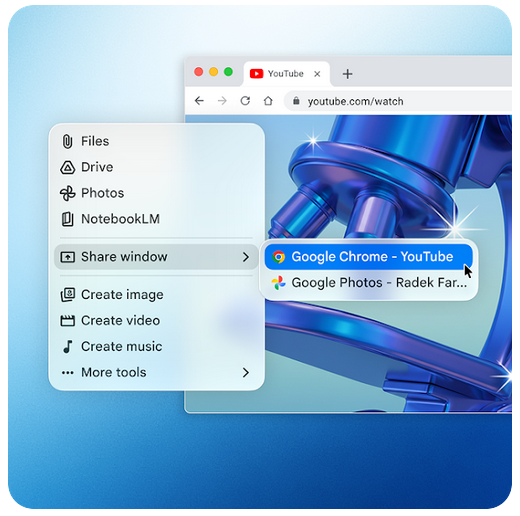
Screen sharing capability sets the Windows app apart from a simple launcher. Users can share a specific window, a selected region of the screen, or their entire display with Gemini. Consequently, Google Lens activates, enabling AI-powered analysis of whatever is visible. This includes images, documents, code, spreadsheets, and text — anything displayed on the monitor is a source that Gemini can read and reason about. Early hands-on reviews found the screen-sharing feature substantially more capable than Microsoft Copilot Vision, particularly in tasks requiring accurate visual interpretation.
The choice of Alt+Space as the trigger shortcut is noteworthy. Traditionally, that key combination opened the Windows control menu — a feature most users never accessed. Google effectively repurposed an underutilised shortcut without disrupting common productivity workflows. Consequently, the app integrates into existing habits rather than demanding new ones.
The macOS App: Option + Space for the Mac Crowd
One day later, on 15 April 2026, Google launched its native Gemini app for macOS. The app is available globally, free of charge, for any Mac running macOS 15 (Sequoia) or later. Furthermore, users can download it directly from gemini.google/mac. The macOS app mirrors the philosophy of the Windows version — an always-available AI assistant accessible without leaving your current context — but is built as a fully native Swift application rather than a web wrapper.
Google CEO Sundar Pichai confirmed the native development approach on social media, noting that the app went from concept to a working Swift prototype in days, built in partnership with Antigravity. That speed of development reflects both the maturity of the underlying Gemini models and the growing importance Google places on desktop AI presence.
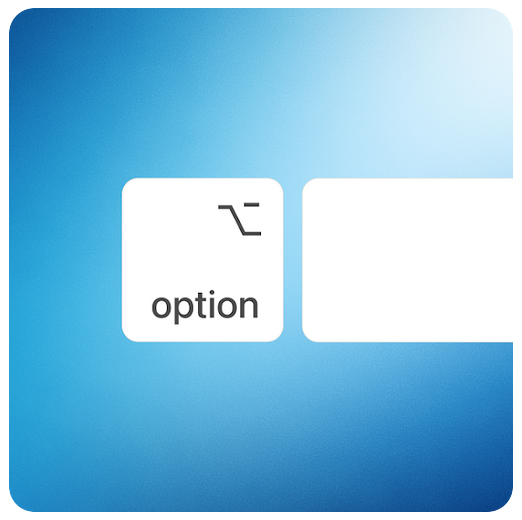
The primary shortcut on Mac is Option + Space, which summons a compact, pill-shaped “Ask Gemini” bar styled with Apple’s Liquid Glass design language. Furthermore, pressing Option + Shift + Space opens the full Gemini experience in a dedicated app window. Both modes sync continuously with the user’s Google Account, meaning chat history, preferences, and Gemini’s memory carry over seamlessly between the desktop app, the web interface at gemini.google.com, and the Gemini mobile app.
The macOS Gemini app’s screen-sharing capability works similarly to its Windows counterpart. Users share any window with Gemini and ask questions about whatever is visible — including local files, charts, code, and images. For example, a user reviewing a complex financial chart can share that window and ask for the three key takeaways. Google‘s blog described the use case directly: “Whether you’re drafting a market report and need to verify a date or building a budget in a spreadsheet and need the right formula, you can get an answer and get right back to work.”
Features Across Both Platforms
Both desktop apps share a core feature set. Alongside web search and screen sharing, users access a suite of creative and productivity tools, including image generation via Nano Banana, video generation via Veo, Canvas for document creation, Deep Research for extended information gathering, and Guided Learning for structured educational exploration. Furthermore, the macOS app integrates with NotebookLM, Google Photos, and Google Drive directly from the file and tools menu.
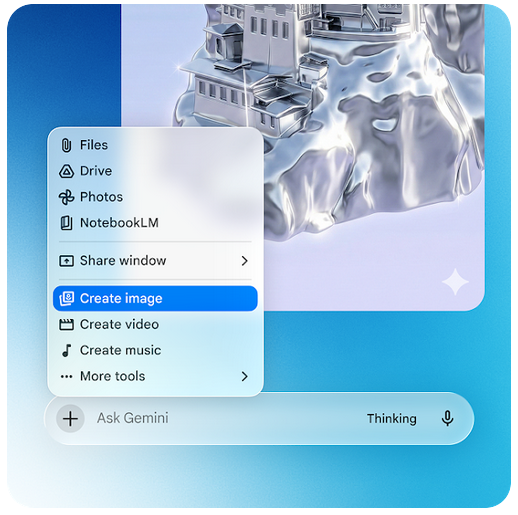
Additionally, the Personal Intelligence feature — which allows Gemini to draw context from a user’s Google account history, emails, and calendar — is available through both desktop apps for eligible users. Furthermore, a model switcher lets users select which version of Gemini they want to use, and voice input supports hands-free queries.
The macOS app adds a Menu Bar icon for persistent, one-click access. Users can therefore summon Gemini via a keyboard shortcut, the Menu Bar, or the Dock. Consequently, Google ensures there is no friction barrier between a user and its AI assistant at any point in the working day.
The Competitive Context
The desktop AI assistant market is intensifying rapidly. Microsoft has integrated Copilot deeply into Windows 11, with OS-level access to files, settings, and applications that no third-party app can currently match. Additionally, OpenAI‘s desktop app for ChatGPT has been available on Mac for significantly longer than Google‘s entry. Anthropic‘s Claude also offers a desktop presence. Therefore, Google enters a field where competitors have already established user habits and workflow integrations.
However, Google‘s ecosystem leverage is substantial. No other AI assistant arrives with native Google Search integration, Google Drive access, Google Lens vision capabilities, and Gemini models in a single desktop package. Furthermore, the forthcoming Apple Intelligence upgrade — confirmed by both Apple and Google in January 2026 — will see Gemini models power the next generation of Siri and Apple Intelligence features, expected to debut at WWDC 2026 in June. Consequently, Google‘s macOS presence arrives just months before Gemini is set to become the backbone of Apple’s own AI layer.
Google Group Product Manager Michael Friedman acknowledged the scope of the ambition: “We’re building the foundation for a truly personal, proactive and powerful desktop assistant, with more news to share in the coming months.”
What Critics Are Saying
Not everyone is convinced. Early reviews of the Windows app noted that, in its current form, the product functions primarily as a Gemini portal rather than a comprehensive desktop productivity tool. PCWorld observed that macOS’s Spotlight — which has been a file manager, app launcher, and sophisticated search tool for over two decades — already performs many of the same local search functions. Consequently, Windows users already comfortable with Microsoft Search or third-party launchers may find the new Google app’s local search capabilities limited relative to the competition.
Nevertheless, the screen-sharing and AI Mode features attracted genuine praise. The ability to share a live application window and receive AI analysis in real time represents a qualitatively different interaction model from browser-based AI. Furthermore, the combination of web search and screen context in a single interface is genuinely novel. Therefore, the app’s value proposition strengthens considerably for users who perform research, analysis, and content creation across multiple sources simultaneously.
TF Summary: What’s Next
Google has clearly staked its desktop territory. The Google app for Windows and the native Gemini app for macOS are version 1.0 products — functional, fast, and deliberately scoped. Furthermore, both Google and third-party reviewers agree that these first releases represent a foundation rather than a finished product. Michael Friedman’s signal of “more news to share in the coming months” points toward deeper OS integration, expanded language support beyond English, and additional capabilities that will close the gap with Microsoft Copilot‘s native Windows access.
The most consequential development on the horizon is the WWDC 2026 announcement in June, where Apple is expected to reveal how Gemini models will power the revamped Siri and Apple Intelligence in iOS 27 and macOS 27. Consequently, Google‘s standalone macOS app and its forthcoming deep integration with Apple’s own intelligence layer will place Gemini at two distinct points in the Apple ecosystem simultaneously. That dual presence — as a standalone assistant and as the engine beneath Apple’s own AI — gives Google a strategic position on the Mac platform that no competitor currently holds. The desktop AI war is real. Furthermore, Google has just joined it in full.
— Text-to-Speech (TTS) provided by gspeech | TechFyle