

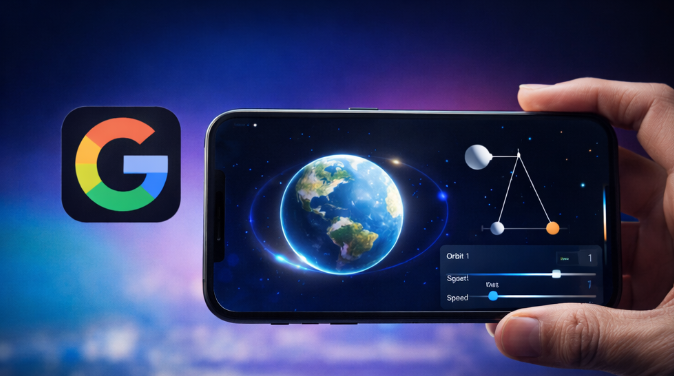
Gemini can tell you how something works. Today, Gemini can show you, too. 3D model spin, zoom, and visualise an idea or concept dynamically.
Google has given Gemini a new trick that is far more useful than flashy. The AI assistant can now answer certain prompts with interactive 3D models and live simulations instead of plain text or static images. That means a user can ask Gemini to explain a hard concept, then rotate a model, move a slider, change values, and watch the idea play out on screen.
Plenty of people do not learn best through paragraphs. They learn by seeing motion, shape, cause, and effect. A double pendulum, a Doppler effect demo, or an explanation of the Moon’s orbit gets easier fast when the user can interact with the concept instead of reading another wall of words. Google is clearly betting that AI is more helpful once it stops acting like a clever paragraph machine and starts behaving more like a visual tutor.
What’s Happening & Why This Matters
Gemini Beyond Static Answers
For a while, Gemini could already generate text, summarise documents, and produce images. Useful, yes. Still, most responses stayed trapped in a familiar format: ask a question, get a block of words.
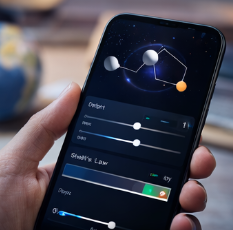
That format works well enough for many tasks. It fails badly when the user needs to understand movement, structure, timing, or spatial relationships. A text answer can describe a wave. A simulation can show how the wave behaves. A paragraph can explain orbital speed. A model can let the user drag the setting and watch the orbit change.
That is the real jump. Gemini is shifting from description to demonstration.
Google appears to be rolling out the feature to the Gemini app for users on the Pro model. Users can ask for a visualisation with prompts like “show me a double pendulum” or “help me visualise the Doppler effect.” Gemini can then return a live model with controls that let the user rotate, zoom, pause, hide elements, or adjust values.
That sounds small until you think about how often people use AI to understand something complicated quickly. Once the answer is interactive, the learning experience stops being passive.
That is where the feature gets interesting.
The Best Use Case: Education
A lot of AI features get launched with dramatic marketing and weak daily value. This one is more grounded.
The clearest early use case is education. Students, teachers, parents, tutors, and self-learners all run into the same problem: some ideas are easier to understand when the user can see the system in motion. Physics, geometry, math, chemistry, astronomy, and engineering all benefit from that kind of visual explanation.

A student struggling with refraction can move an angle slider and watch the behaviour change. A learner trying to understand an orbit can speed it up, slow it down, or remove labels and focus on the shape of motion. A teacher can use the model in class instead of hunting for a separate simulation site.
That makes Gemini more than a chatbot. It starts making Gemini a lightweight learning environment.
There is another advantage, too. A lot of educational software is fragmented. One site does quizzes. Another does diagrams. Another does simulations. Another does the explanations. Google is trying to collapse some of those steps into one interface.
That convenience may end up being the strongest part of the whole feature.
A Fight Over the Interface’s Future
The deeper story is not only about 3D models. The deeper story is about how AI answers questions.
The first wave of AI assistants competed on who could write the cleanest answer. The next wave is clearly heading somewhere else. The question is no longer only, “Can the bot answer?” The question is, “What is the best format for the answer?”
Sometimes the right answer is a paragraph. Sometimes it is a table. Sometimes it is a chart. Sometimes it is a short simulation that the user can manipulate.

That means the AI race is becoming a fight over interfaces, not only model quality. A smarter interface can make a model feel more useful even when the core intelligence gap is not huge.
Google understands that. So do its rivals.
The Gemini update speaks to competitive advantage. It shows Google transitioning beyond text in a more practical direction. The company is trying to make Gemini less a conversational search layer and more an interactive workspace that teaches, demonstrates, and explains.
That move makes sense. Text alone gets boring fast. Worse, text alone often leaves users half-convinced they understand something when they actually do not.
Interactive AI Can Be Better, but Can Still Be Wrong
Here is the catch. A prettier answer is not automatically a more accurate answer.
If Gemini builds a smooth simulation around a flawed explanation, the user may trust the wrong thing even more easily. That is the danger with every upgrade that makes AI outputs more polished. A better presentation can make weak logic stronger.

Users already over-trust AI when the answer sounds confident. A simulation may deepen that effect. Once the model is moving, responsive, and visually neat, many users will assume the result must be grounded and correct.
That assumption can go wrong.
So the feature has real upside, but it needs the same caution as all AI help. Great visuals do not remove the need to verify important facts. They may increase the need, because a convincing demonstration can hide mistakes better than plain text can.
Google will likely improve the reliability over time. It still needs to prove that the visual layer is doing more than dressing up uncertainty in nicer clothes.
That is a real test, not a minor one.
Gemini: A More Useful Tool for Curious Non-Experts
One reason this feature stands out is that it fits the audience many tech products still ignore: people who are smart, curious, and not deeply technical.
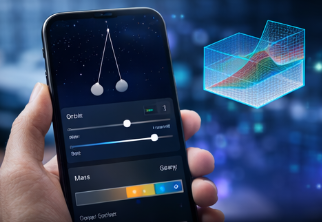
A lot of AI tools still reward insiders. They work best for users who already know what to ask, how to phrase it, and how to judge the result. Interactive 3D models can lower that barrier.
A non-expert does not always need a dense explanation of orbital mechanics. A non-expert often needs a visible example that makes the main idea stick. A student does not always need a formal lecture on waves. A student may only need to drag one value and watch what changes.
That makes Gemini more accessible in a meaningful way.
It is also a smart strategy for Google’s AI position. The company needs Gemini to feel useful to ordinary people, not only coders and researchers. Features like this help because they make the product practical and fast.
The best consumer tech often wins not by doing the hardest thing in theory, but by doing the most understandable thing at the right moment.
That may be what Google is chasing here.
Use Cases Beyond Science
The obvious examples are mostly educational. That probably will not be the limit.
Interactive 3D outputs could spill into product demos, design previews, basic engineering explainers, financial models, architecture mockups, medical education, and simple training tools for businesses. Once a model can respond visually and interactively, many categories open up.
That does not mean Gemini suddenly is a full simulation engine for everything. It does mean the direction is clear. AI assistants are being directed toward richer formats that help users understand and manipulate information instead of only reading it.
That is where things start getting interesting for work use too.
A support team could use this style of response to explain how equipment works. A sales team could show a product mechanism. A tutor could explain a concept live. A manager could walk a team through a simple scenario model.
The long-term play is obvious. Google wants Gemini to become a more flexible answer machine, one that picks the format that best helps the user.
That is a far stronger vision than “chatbot, but again.”
TF Summary: What’s Next
Google’s new Gemini 3D models feature sends the AI assistant into a more interactive lane. Instead of stopping at text and static images, Gemini can return interactive simulations and 3D visualisations for certain prompts, allowing users to rotate views, adjust values, and watch concepts in motion. That makes the tool more useful for learning, explaining, and exploring hard ideas that do not fit neatly into plain language.
MY FORECAST: This will not stay a science demo feature for long. Interactive answers are likely to spread into education, work tools, product demos, and training use cases. The bigger race is shifting too. AI companies will keep competing on model quality, but the real winners may be the ones that present answers in the format people understand fastest. Text started the AI boom. Better interfaces may define the next phase.
— Text-to-Speech (TTS) provided by gspeech | TechFyle